
Naked Pool Green After Rain Australia | Fast Fix Steps
Naked freshwater pool green after rain? Fix copper and pH (7.2–7.6), then clear algae step by step. Free Australian pool calculator for exact dosing.
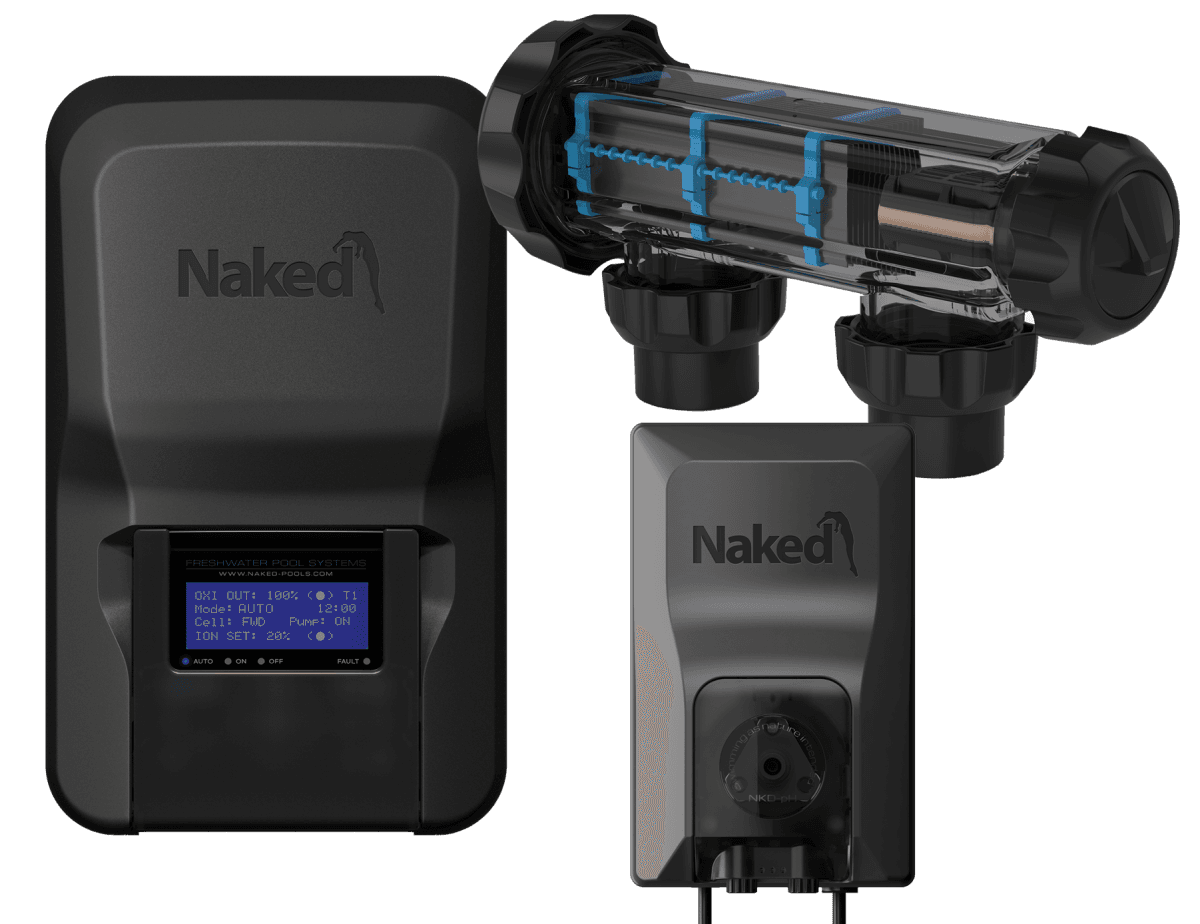
Naked Pool Green After Rain Australia | Fast Fix Steps
Naked freshwater pool turned green after rain? Rain dilutes copper and knocks pH out of range — then algae blooms fast. Follow this step-by-step fix to clear the water in 2–5 days, then use our free pool calculator for exact dosing.
Naked systems run low chlorine (0–0.5 ppm) and rely on copper (0.2–0.5 ppm) plus pH 7.2–7.6. Get those right and the green clears.
Why Does Rain Turn a Naked Pool Green?
Rain disrupts the Naked system's balance in four ways:
- Dilutes copper levels — copper is your primary algaecide. Rainwater brings it below the 0.2 ppm threshold where algae can survive.
- Lowers pH and alkalinity — rain is slightly acidic (pH ~5.6). This shifts your water chemistry out of range.
- Introduces nutrients — dust, pollen, leaf debris, and phosphates wash into the pool. Phosphates are algae food.
- Adds algae spores — rain carries airborne spores directly into the water.
The result: copper drops below effective levels while algae gets a fresh supply of food. That is why your pool turns green fast.
Step-by-Step Fix
Follow these steps in order. Most Naked pools clear within 2–5 days.
Step 1: Remove Debris
- Skim leaves, twigs, and floating debris immediately.
- Empty skimmer baskets — organic matter feeds algae.
- If debris has settled, vacuum to waste if possible.
Step 2: Brush All Surfaces
- Brush walls, floor, steps, and corners thoroughly.
- Algae clings to surfaces. Brushing breaks it loose so the filter and sanitiser can do their job.
- Repeat daily until water clears.
Step 3: Run the Pump 24/7
- Set your pump to run continuously until water is clear.
- Your Naked system needs circulation to sanitise effectively.
- Clean or backwash the filter before starting — a dirty filter cannot clear green water.
Step 4: Test Your Water
Use test strips or a liquid kit. Focus on these parameters:
| Parameter | Target Range | Why It Matters |
|---|---|---|
| pH | 7.2 – 7.6 | Out-of-range pH can impair water balance and copper testing |
| Total Alkalinity | 80 – 150 ppm | Stabilises pH |
| Copper | 0.2 – 0.7 ppm | Current manufacturer operating range |
| Free Chlorine | 0 – 0.5 ppm | Residual only — not your main sanitiser |
| Phosphates | 0 – 0.2 ppm | Algae food source |
Enter your results into the [Pool Calculator](/#calculator) for instant dosing advice tailored to your pool size.
Step 5: Balance pH First
Rain is slightly acidic, so pH typically drops after heavy rain — but it can also read high depending on your water. Either way, pH must be in range before copper can work effectively.
If pH is below 7.2 (most common after rain):
- Add sodium bicarbonate (buffer/baking soda) to raise pH and alkalinity together.
- Dissolve in a bucket of pool water before adding.
- 200g raises TA by ~10 ppm per 10,000L — retest after 4–6 hours.
Read: How to Raise Pool pH → · Pool Alkalinity Calculator Australia →
If pH is above 7.6:
- Add liquid hydrochloric acid (muriatic acid).
- Dose slowly into the deep end with the pump running.
- Max 500ml at a time. Retest after 4–6 hours.
- Never add acid with swimmers in the pool.
Read: How to Lower Pool pH →
Step 6: Check and Raise Copper if Needed
If copper is below 0.2 ppm, your Naked system cannot fight algae.
- Use the unit's ION BOOST process if your model supports it.
- Follow the controller or Naked app instructions rather than guessing an output percentage.
- Retest copper after 24 hours of continuous operation.
- Do not add copper algaecide — the Naked system produces its own.
Naked Pools Support → for help with boost mode settings on your specific unit.
The manufacturer lists heavy rainfall and splash-out as common causes of low copper. See Naked Pools: why copper gets low before changing controller settings.
Step 7: Lower Phosphates (If Above 0.2 ppm)
Phosphates won't stop copper from working, but they feed algae — so even after copper and pH are corrected, algae will return quickly if phosphates remain high. Deal with phosphates once pH and copper are corrected.
If your phosphate test reads above 0.2 ppm:
- Use a phosphate remover (e.g., Lo-Chlor Starver, Pool Perfect Phosfree).
- Add according to the label based on your pool volume.
- Phosphate removers are safe for Naked systems — they do not interfere with ionisation.
Step 8: Retest and Repeat
- Retest pH, copper, and phosphates after 24–48 hours.
- If water is still green, repeat Steps 4–7.
- Continue running pump and brushing daily.
Most Naked pools clear within 2–5 days with this process. If it takes longer, take a water sample to your local pool shop for a full analysis.
Prevention: Avoid Green Pools After Future Rain
| Action | When |
|---|---|
| Test water before forecast rain | Before storms |
| Boost Naked unit output | During extended wet weather |
| Keep copper in range (0.2–0.7 ppm) | Weekly to fortnightly |
| Run phosphate remover seasonally | Every 3–6 months |
| Skim debris daily | Ongoing |
| Clean filter regularly | Monthly or after heavy rain |
The best defence is consistent testing: keep copper and pH inside the ranges for your pool surface, remove debris, and maintain filtration through wet weather.
Related Guides & Tools
- [Free Pool Calculator →](/#calculator) – Enter test results for Naked/freshwater dosing advice
- [Fresh Water, Low Chemicals: Naked System Chemistry →](/blog/fresh-water-low-chemicals-naked-system-chemistry) – Target ranges for copper, pH, and low chlorine
- [Pool Troubleshooting Guide →](/guides/pool-troubleshooting-guide) – Diagnose cloudy, green, and out-of-balance water
- [Pool Alkalinity Calculator Australia →](/guides/pool-alkalinity-calculator-australia) – Fix TA after rain dilution
- [How to Lower Pool pH →](/blog/how-to-lower-pool-ph) – Correct high pH before retesting copper
- [Pool Opening Checklist Australia →](/blog/pool-opening-checklist) – Prepare before spring and summer demand
- [Pool Algae Types Explained →](/blog/pool-algae-types-explained) – Identify green, mustard, and black algae
- [Freshwater Pool Ready for Summer →](/blog/freshwater-pool-ready-for-summer) – Seasonal Naked system checklist
Calculate Your Fix
Enter your test strip results into our free calculator for personalised dosing advice for Naked freshwater pools.
*PoolCalculator.com.au is not affiliated with Naked Pools. For official troubleshooting, visit Naked Pools Support →*